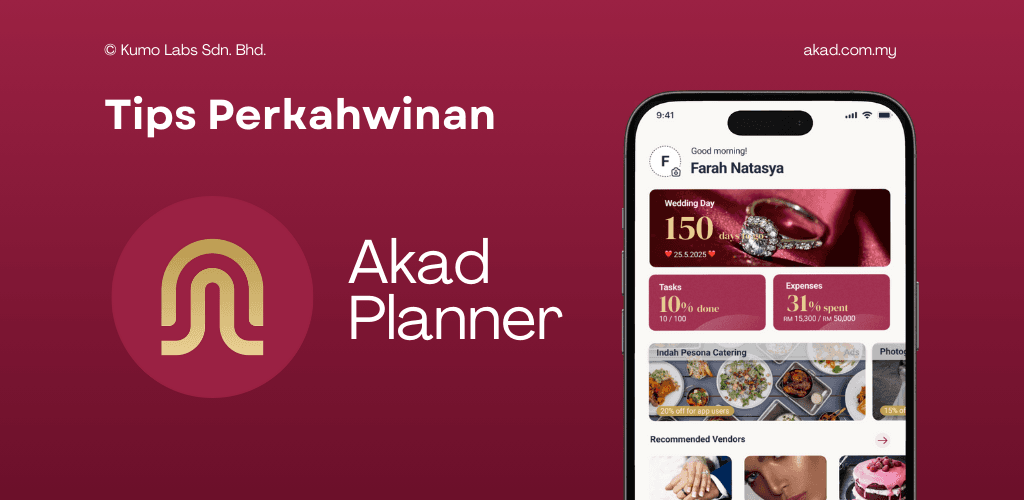
🎉 Introducing the New Expenses Page
Managing your wedding budget is one of the biggest challenges couples face especially when costs come from so many different categories like venue, catering, outfits, décor, and photography. To make this easier for every couple in Malaysia, Akad Planner, the all-in-one wedding planning app, now includes a powerful new feature designed just for you: the Expenses Page.
This update gives you a complete wedding expense tracker, allowing you to monitor your spending, view category breakdowns, and compare your actual expenses against your planned budget all in real time. If you’ve been searching for an easy way to track wedding expenses, manage your wedding budget, or understand your wedding cost breakdown, this feature is built exactly for you.
Let’s explore what’s new and how to make the most of it.
(Full step-by-step tutorial included below!)
💰 Why the New Expenses Page Matters
Planning a wedding in Malaysia often means juggling dozens of payments such as deposits, final balances, add-ons, upgrades, promotions, etc. Without a proper tool, it’s easy to lose track or overspend.
The new Expenses Page helps you:
- Track all your wedding spending in one place
- Compare budget vs actual expenses
- Understand which categories cost the most
- Make smarter financial decisions
- Avoid overspending and stay within your overall wedding budget
With Akad Planner, planning your dream day no longer means sacrificing financial peace of mind.
📘 How to Add Expenses (Step-by-Step Tutorial)
Follow these steps to start tracking your wedding spending:
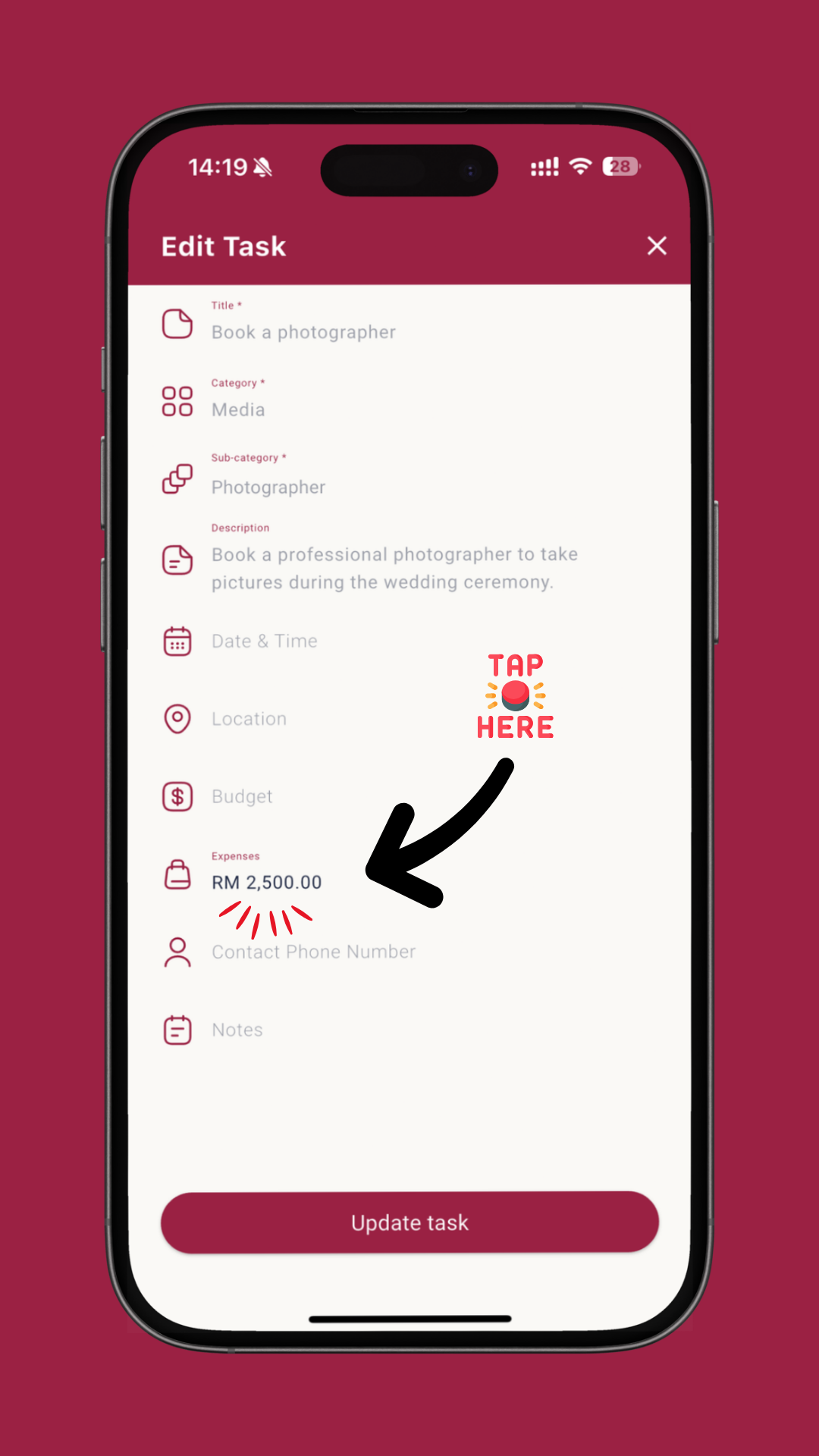
1. Go to the Tasks page
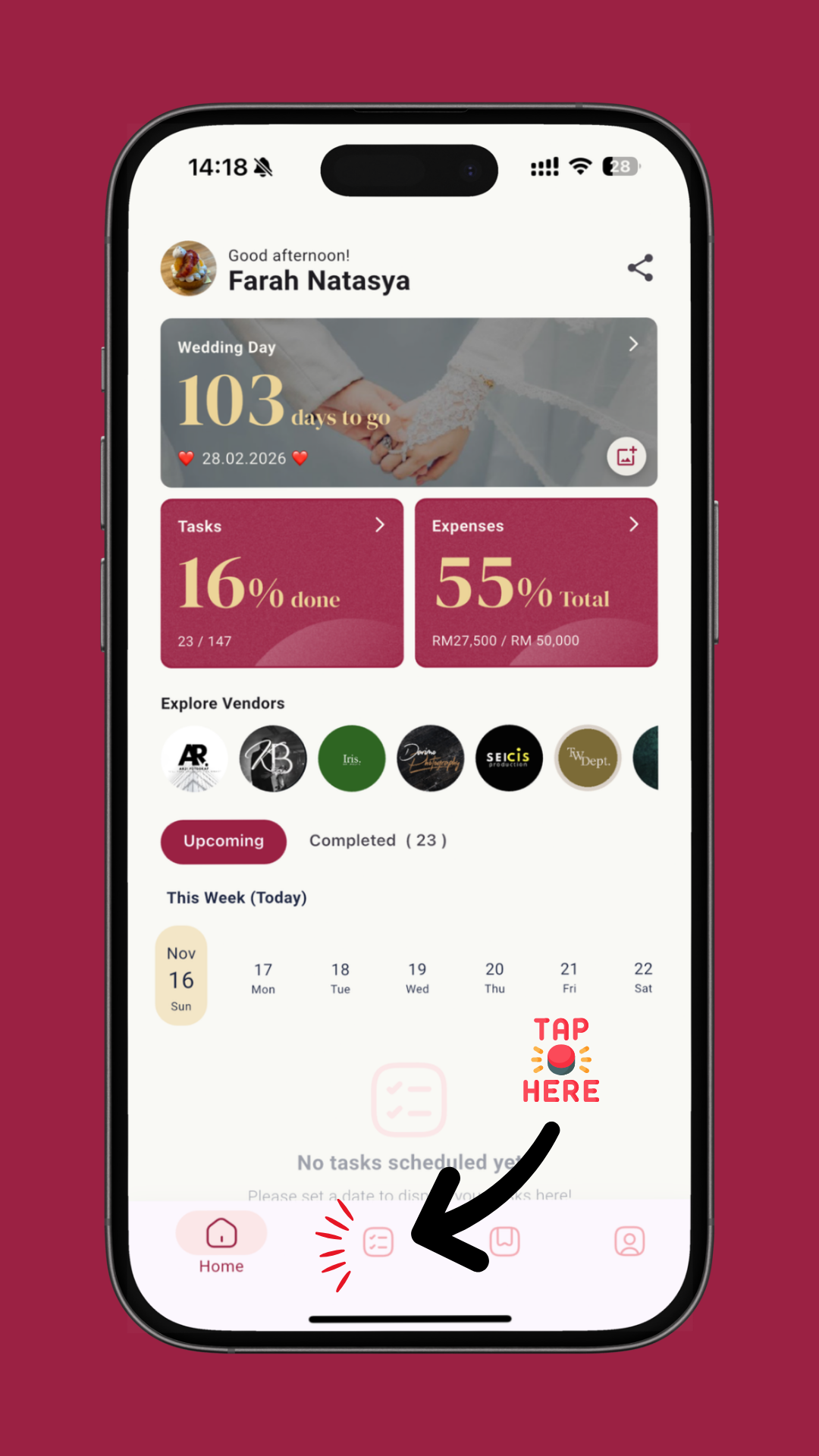
2. Choose a category and select the task you want to update
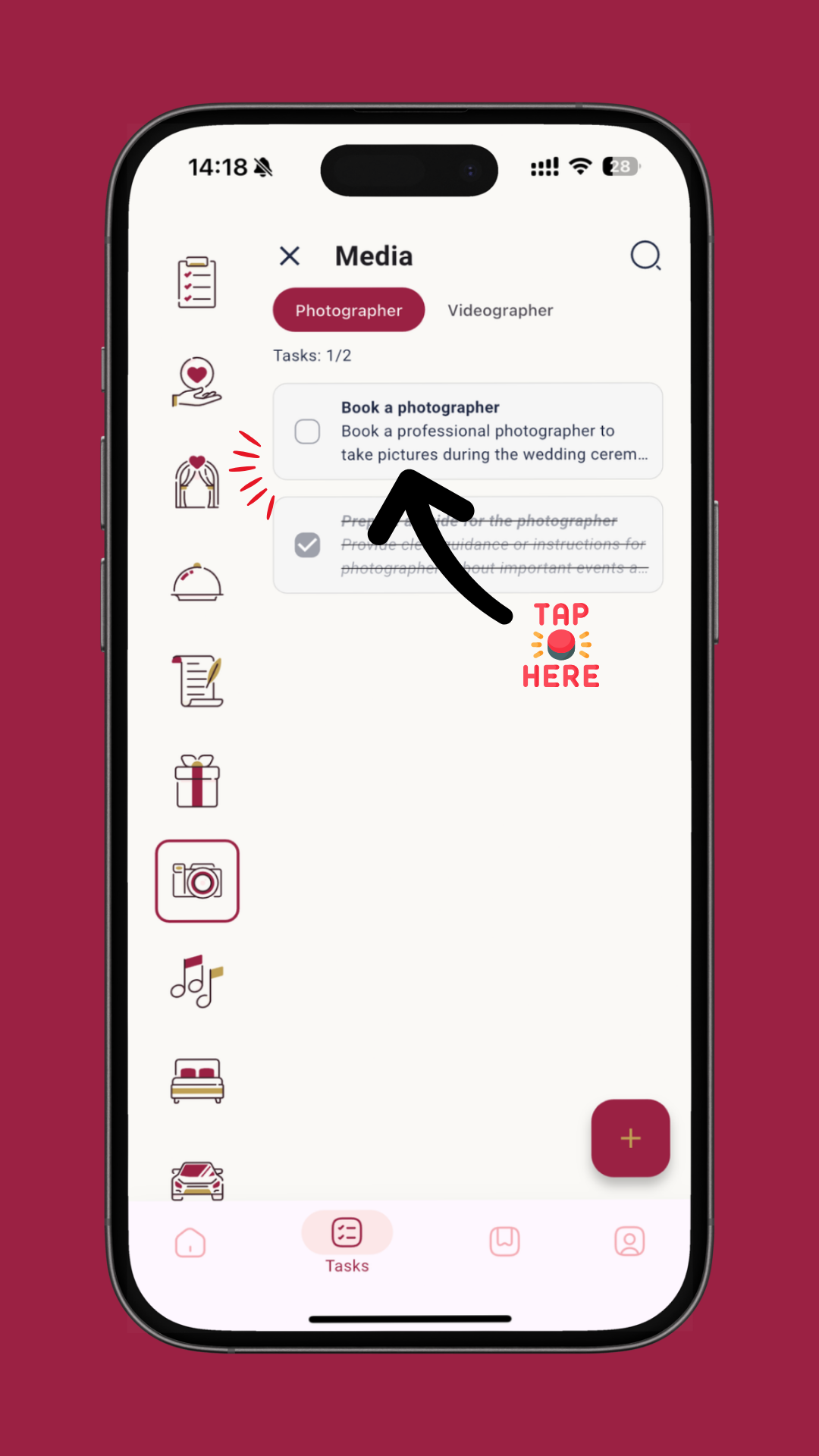
3. Edit a task
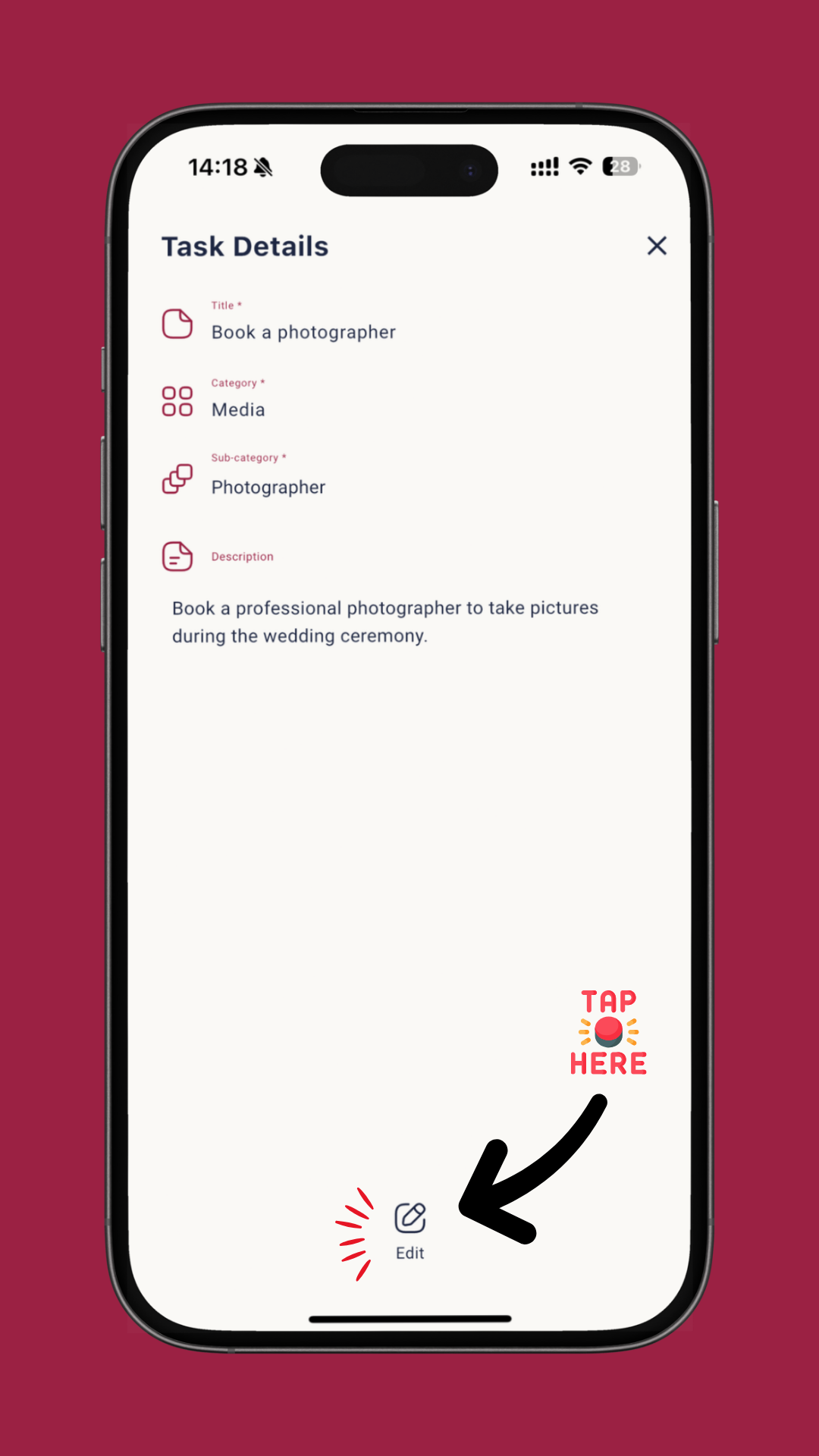
4. Add your actual spending
⭐ Pro Tip (Highly Recommended!)
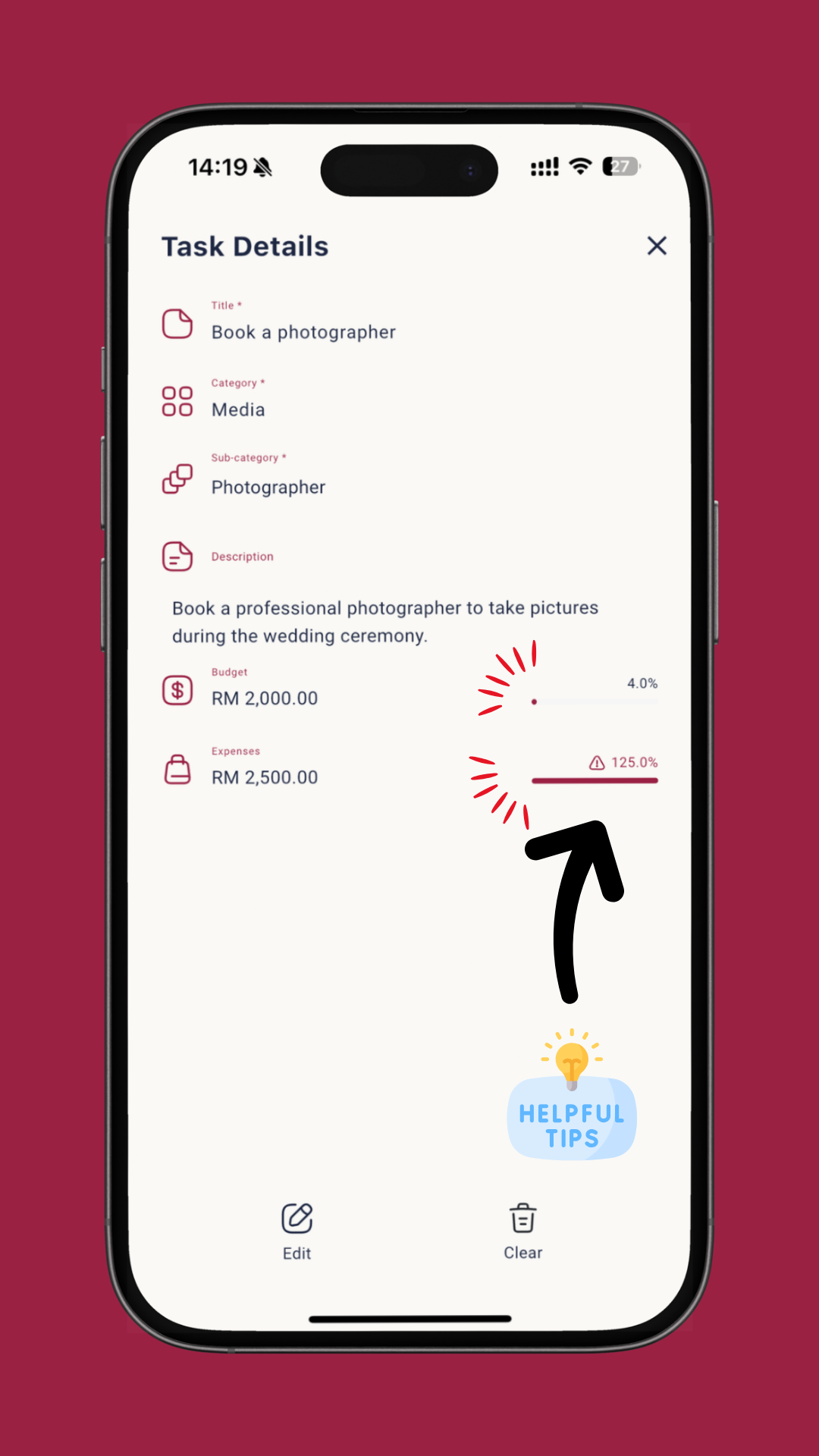
If you enter a budget amount for that task, Akad Planner will show:
- % of budget used
- Whether you’re under or over budget
- A visual bar indicator
📊 Viewing Your Overall Expenses
Once your tasks have expenses added;
1. Go to the Home Page and tap the Expenses card
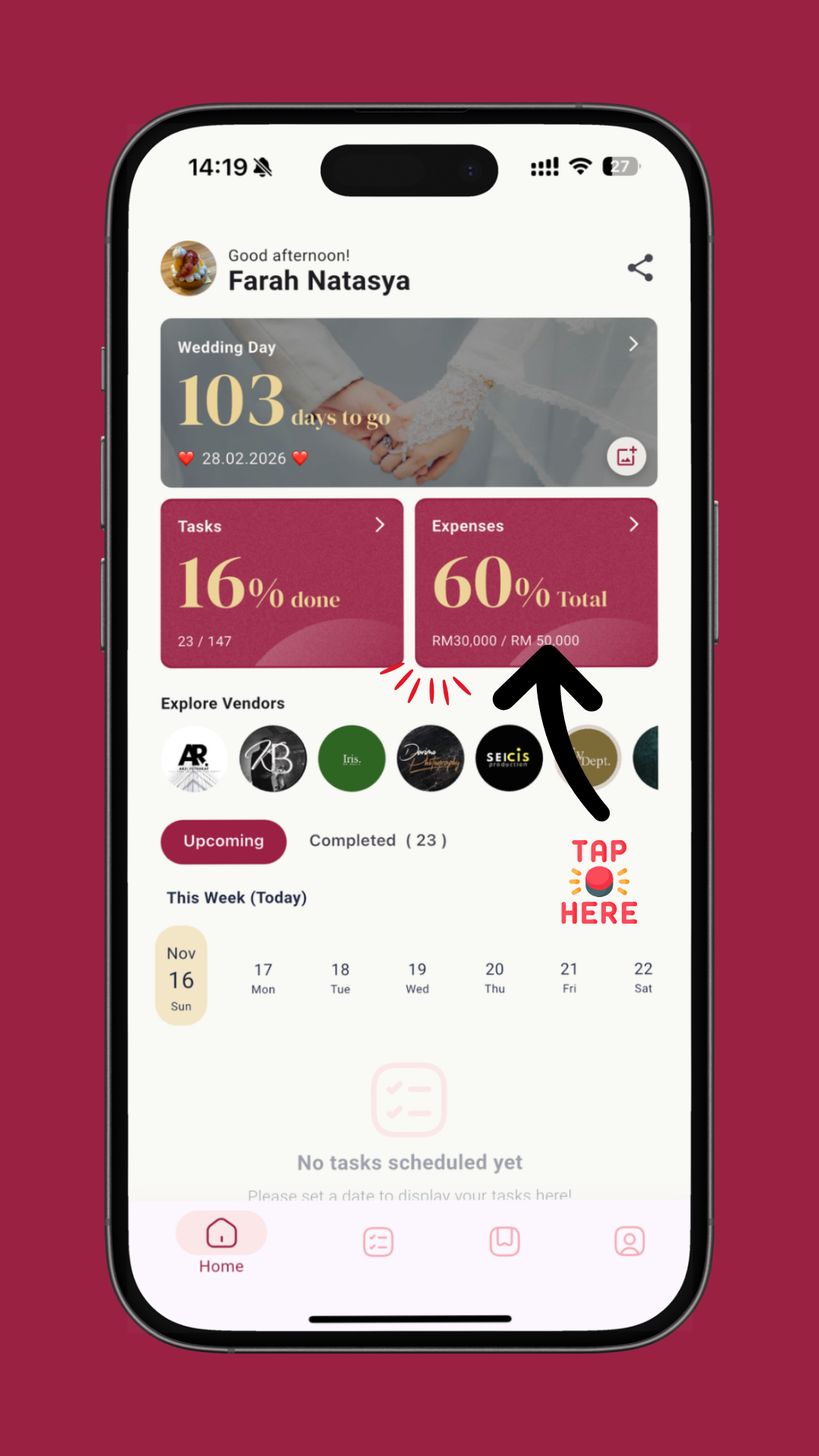
2. Expenses page
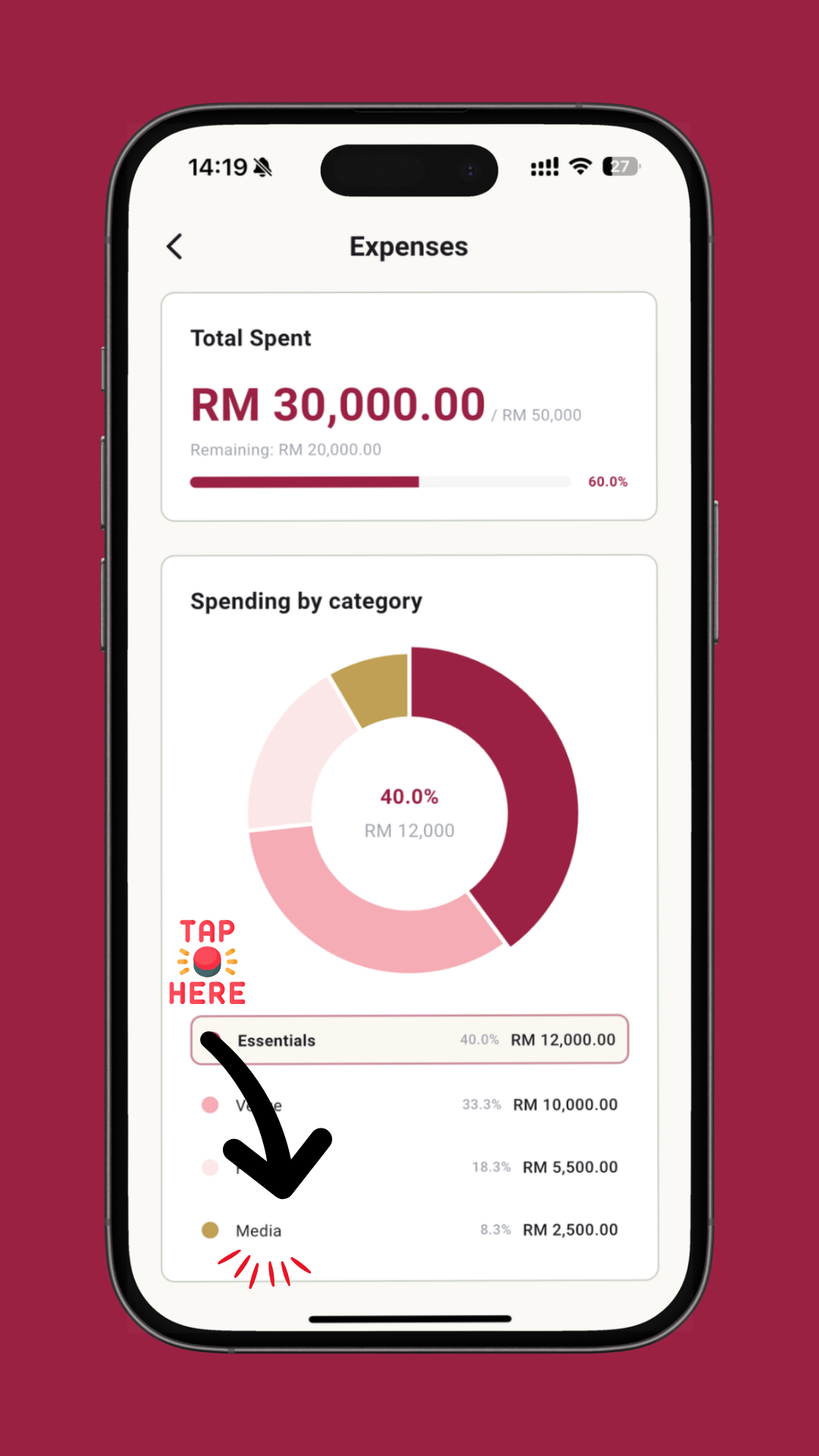
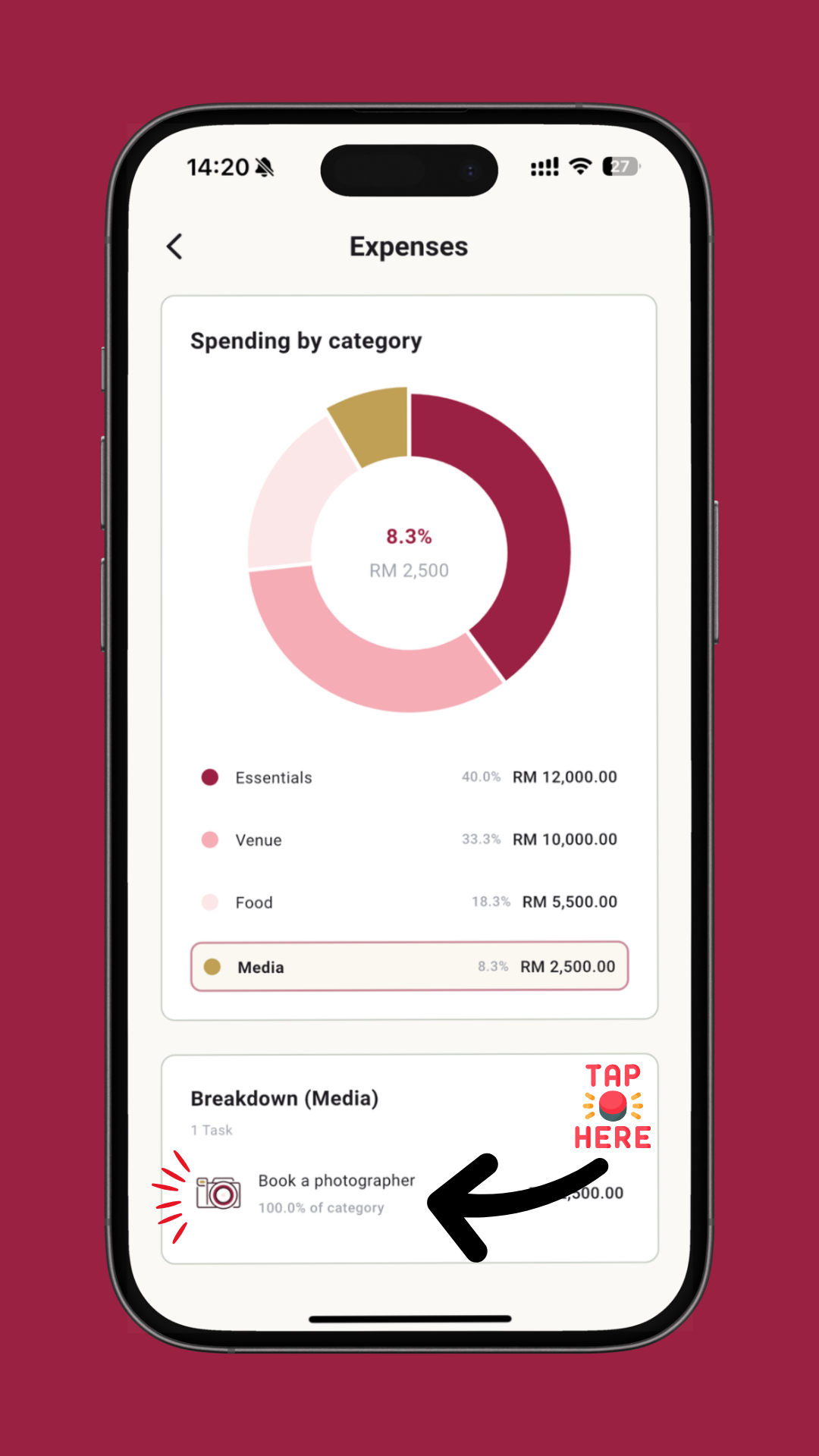
This takes you to the full Expenses Page - your complete spending dashboard.
From here, you can:
- View your total spent vs budget
- Review remaining balance
- Explore pie-chart breakdown
- Inspect category spending
- Jump directly to any task to edit or update
💬 We’d Love to Hear From You
This is just the beginning. We’re committed to helping couples plan with confidence and joy.
If you have questions, suggestions, or feedback, please reach out to us anytime. Your input helps us improve Akad Planner for everyone.
Contact us here --> https://www.akad.com.my/contact-us