If you are a wedding vendor looking to reach more couples, you’re in the right place. Akad for Business is our new vendor portal that allows you to create and manage your profile so that couples on the Akad Planner app can easily discover your services.
Here is a complete step-by-step guide on how to register.
Step 1: Visit the Registration Page
Open your browser and go to:
https://business.akad.com.my/
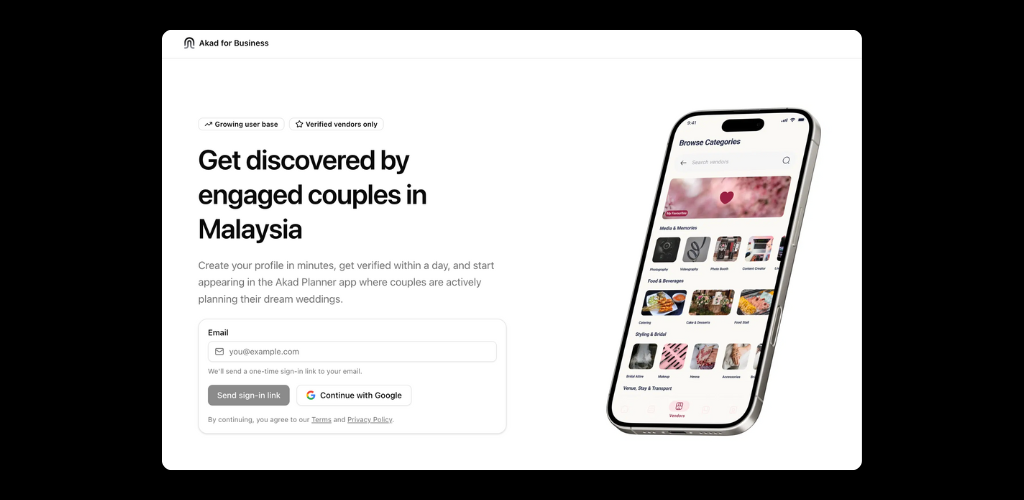
Step 2: Choose Your Sign In Method
You will be asked to sign in or create an account. Akad for Business currently supports two simple methods:
- Sign in with Email (Magic Link). Enter your email address and you will receive a link in your inbox. Click the link to log in automatically without using a password.
- Sign in with Google. Use your Google account to register and log in instantly.
Choose the option you prefer and continue.
Step 3: Complete Your Vendor Profile
Once you are logged in, you will see your vendor dashboard. If you were previously listed on Akad, your existing vendor information has already been imported and placed in Draft status.
Here is what you need to do next:
- Review your existing details such as business name, contact information and category.
- Update or complete missing information.
- New categories. Choose from the expanded list of service types that better match your business.
- Gallery images. Upload high-quality photos of your work so couples can see your style.
- Description. Add a clear and engaging summary of your services and what makes your business unique.
- After updating the information, click the Submit for Review button to send your profile to our team.
Step 4: Review and Approval
Once submitted, our team will review your profile. After it is approved, your vendor listing will go live on the Akad Planner app. Couples who are planning their wedding will be able to view your profile and contact you directly.
Step 5: Manage Your Profile and View Analytics
After your profile is live, you will have access to several helpful features:
- Dashboard. View the number of profile views, clicks on your contact links and engagement with your gallery.
- Profile editing. You can update your information at any time and resubmit for review.
- Ads and promotions. Our upcoming features will allow you to manage sponsored placements and increase your visibility.
Why You Should Register Now
- You will reach couples who are actively planning their wedding.
- Updated categories and gallery images help your business stand out.
- The new platform is built specifically for Malaysian wedding vendors.
- Early registration gives you a stronger position for future features such as vendor ads.
- A refreshed profile helps improve your visibility in search and category listings inside the app.
If you have any questions or face issues during the registration process, feel free to contact our support team. We are here to help you get your profile set up smoothly.
Thank you for being part of the Akad vendor community.
Team Akad